Entering Data
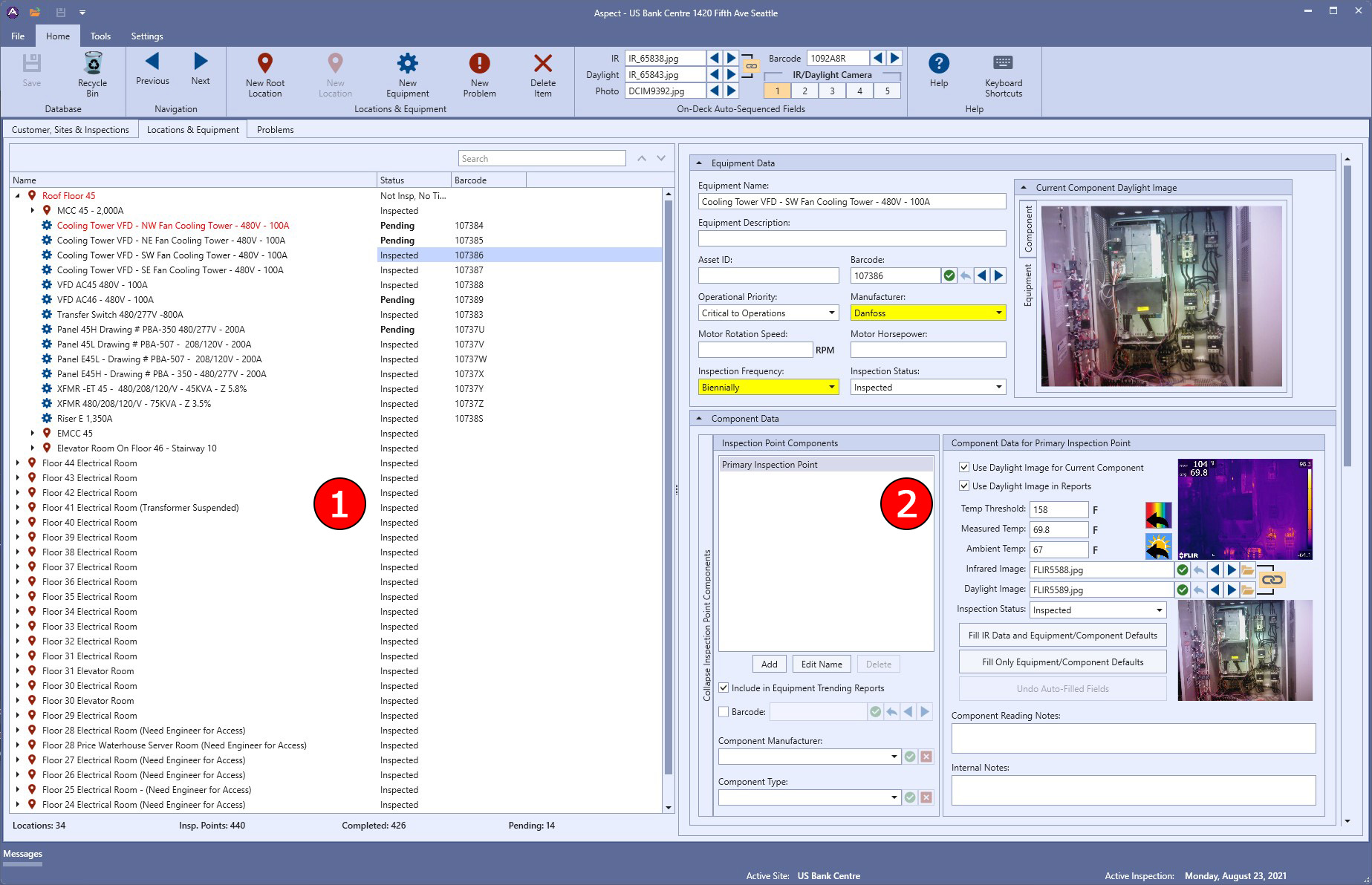
When entering data into Aspect, the user interface is divided into two main sections:
- On the left side are the tree views. These tree views contain all items associated with that section of the user interface. For example, the Customer, Sites & Inspections tree view contains the root customer object, all of the sites in the customer database, and all of the inspections associated with those sites. The Locations & Equipment tree view contains all locations and equipment associated with the active site. The Problems tree view contains all problems associated with the active site and/or the active inspection.
- The right side of the user interface is the detail area. Whatever item is selected in the tree view on the left will show its information and allow editing in the detail area. This is true for all three sections of the user interface: Customer, Sites & Inspections, Locations & Equipment, and Problems.
|
The main Aspect window showing the two main sections |
In the picture above, #1 shows the tree view for the Locations & Equipment section, and #2 shows the detail area for the selected piece of equipment.